Buyers build their own quote.
Logged-in buyers add products and quantities and submit a quote request, without emailing a rep or waiting for a callback.
- Build from the live catalogue.
- Add quantities and notes.
- Submit in a few clicks.
Customers can easily create a quote from their cart. This quote can be downloaded as PDF, shared or saved to their account for future access. Self Service Quotes helps businesses manage negotiated B2B purchasing workflows directly through a Shopify B2B portal.
Set your quantities. Volume price breaks apply automatically.
Most B2B quotes bounce between email, spreadsheets and a rep's memory. Buyers wait, versions get confused, pricing is guessed, and a won quote still has to be rekeyed as an order. Self-service quotes put the whole thing on your store.
Logged-in buyers add products and quantities and submit a quote request, without emailing a rep or waiting for a callback.
Requests arrive with the account's contract pricing applied, so you can adjust, approve or decline within the limits you set.
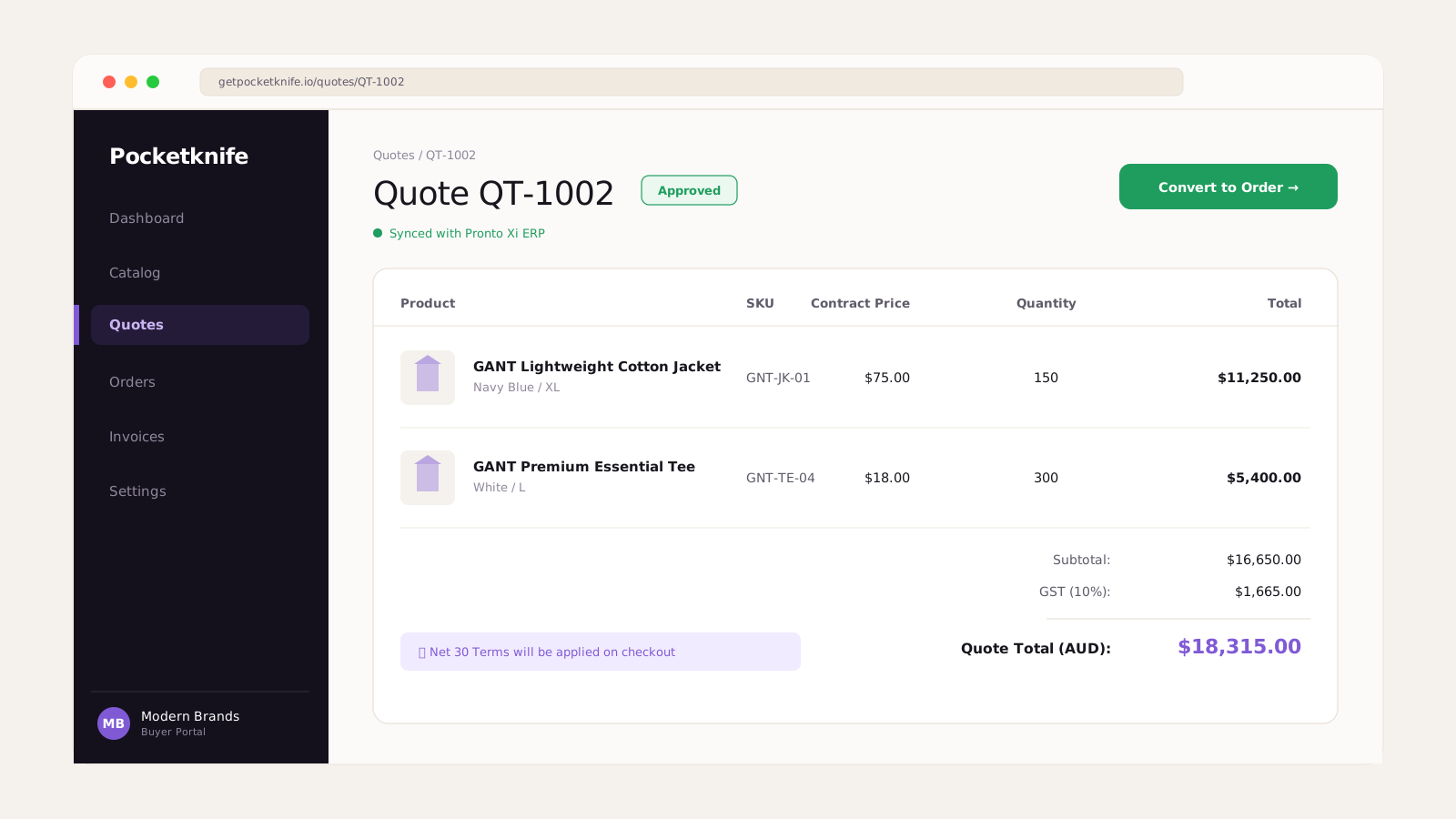
Send a branded quote PDF instantly, and let the buyer accept and convert the quote into an order without re-entering anything.
A quote should move in one connected flow, not a chain of emails and manual re-entry between the buyer, the rep and the ERP.
A logged-in buyer builds a quote from the catalogue, adds quantities and notes, and submits it directly from the store.
The request lands with contract pricing applied so you can tweak lines, quantities and discounts within your rules before deciding.
Approve the quote and send a branded, itemised PDF with clear totals and a validity period in a single click.
The buyer accepts and converts the quote into an order with the agreed pricing, which then flows into your normal order and ERP process.
Most teams quote by email and spreadsheet or with a basic form that stops at a request and never closes the loop into an order.
Watch a buyer request a quote, review the details and convert an approved quote into an order, without email chains or manual re-entry.
Answers for Shopify Plus teams letting B2B buyers request, approve and convert quotes with contract pricing synced from ERPs like Pronto Xi, Business Central, Apparel21, ASW, Exact and Oracle E-Business Suite.
Logged-in buyers build a quote from your live catalogue, add quantities and notes, and submit the request directly from your Shopify Plus store.
Yes. Quote requests arrive with the account's contract pricing applied, so you are working from the right numbers before you approve.
Yes. You can adjust lines, quantities and discounts within your rules, then approve or decline the quote with a note.
Yes. You can send a branded, itemised quote PDF with clear totals and a validity period in a single click.
Yes. Once accepted, a quote can be converted into an order with the agreed pricing, without anyone re-entering the details.
Yes. Discounts can be constrained by your rules so quotes stay within the limits you set rather than being discounted freely.
Yes. Quotes can carry a validity window so pricing is time-bound and expectations are clear to the buyer.
Yes. When a rep acts on a customer's behalf, they can build and approve quotes using that customer's contract pricing.
Yes. An order created from an accepted quote flows into your normal order process and can sync to your ERP like any other order.
Yes. Buyers can view their quotes and their status from their account so nothing gets lost in an email thread.
Yes. Quotes are built from your live Shopify catalogue and the pricing that applies to each account, so they reflect what you actually sell.
No. Quotes sit alongside normal purchasing for deals that need approval or negotiation, then convert into standard orders when accepted.
Ensure quote requests are automatically calculated using the customer's specific contract pricing and tier discounts.
Set up rules that require internal management approval before quotes or orders can be finalized and processed.
Let buyers save draft carts, request quotes on specific combinations, and quickly share configurations with managers.
Read how HART Sport modernized complex B2B purchasing, self-service quotes, and Pronto ERP integration with Pocketknife.
We will set up self-service quotes with your contract pricing, approval rules, branded PDF and one-click order conversion, so buyers get answers fast and nothing gets rekeyed.
Talk through quotes →